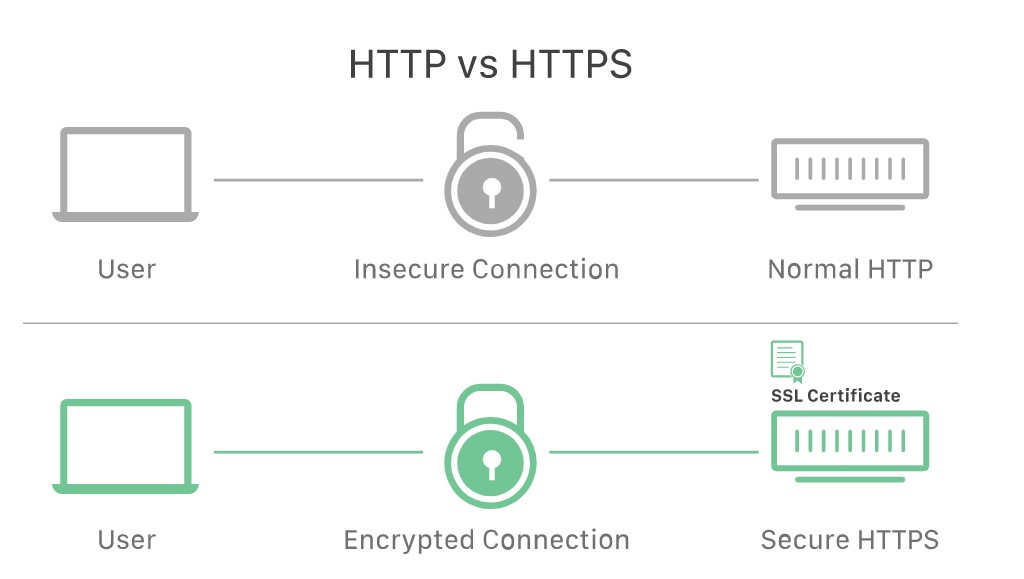
When a client opens a connection with a server, the two devices use the public and private key to agree on new keys, called session keys, to encrypt further communications between them.
Deatiled topics and the corresponding reference links
| Sl No | Topic | Details | last update |
|---|---|---|---|
| 1 | http vs. https | YouTube Lesson | 2022-08-05 |
| 2 | Postman Introduction | YouTube Lesson | 2022-08-09 |
| 3 | Set up local host | YouTube Lesson | 2022-08-09 |
HTTPS helps not only to authenticate the web servers but also preventing various attacks like:
On-path Attacks or DNS Hijacking or BGP Hijacking or Domain spoofing
An absolute URL is the full URL, including protocol (http/https), the optional subdomain (e.g. www), domain (example.com), and path (which includes the directory and slug).
Absolute URLs provide all the available information to find the location of a page.
A relative URL is a URL that only includes the path. The path is everything that comes after the domain, including the directory and slug.
Because relative URLs don't include the entire URL structure, it is assumed that when linking a relative URL, it uses the same protocol, subdomain and domain of that page.
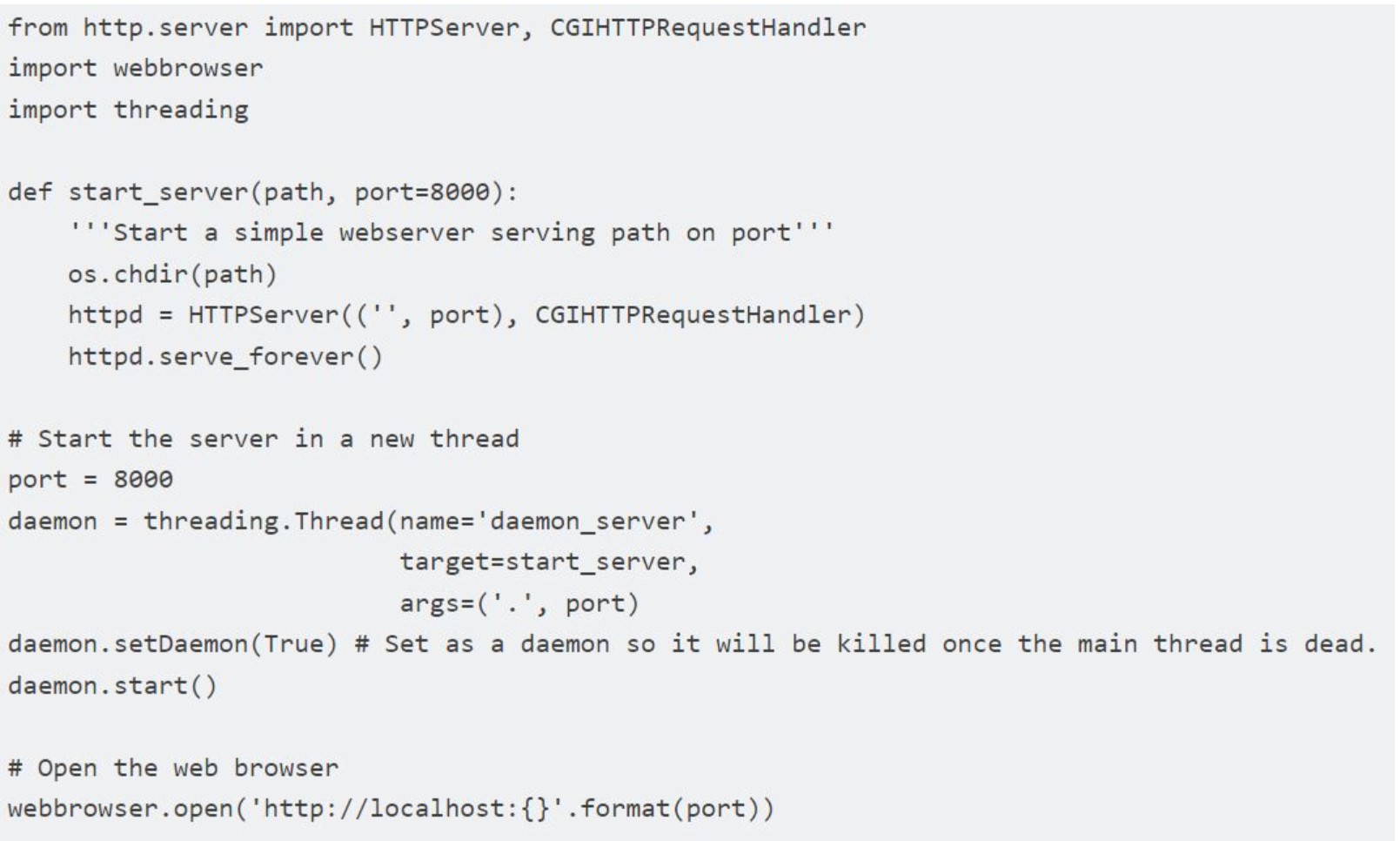
Local host is required to be accessed during the development/testing phase for websites & applications. It will allow to verify without exposing teh data/files outside of network
Also the local host feature is important to maintain the intranet without exposing internal data to internet
Step 1: Set up local server through CMD prompt
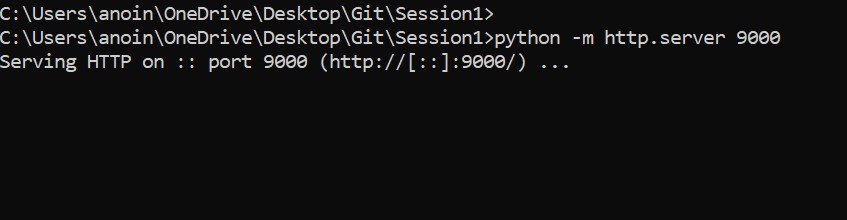
Step 2: Accessing the page through browser which is maintained through local host
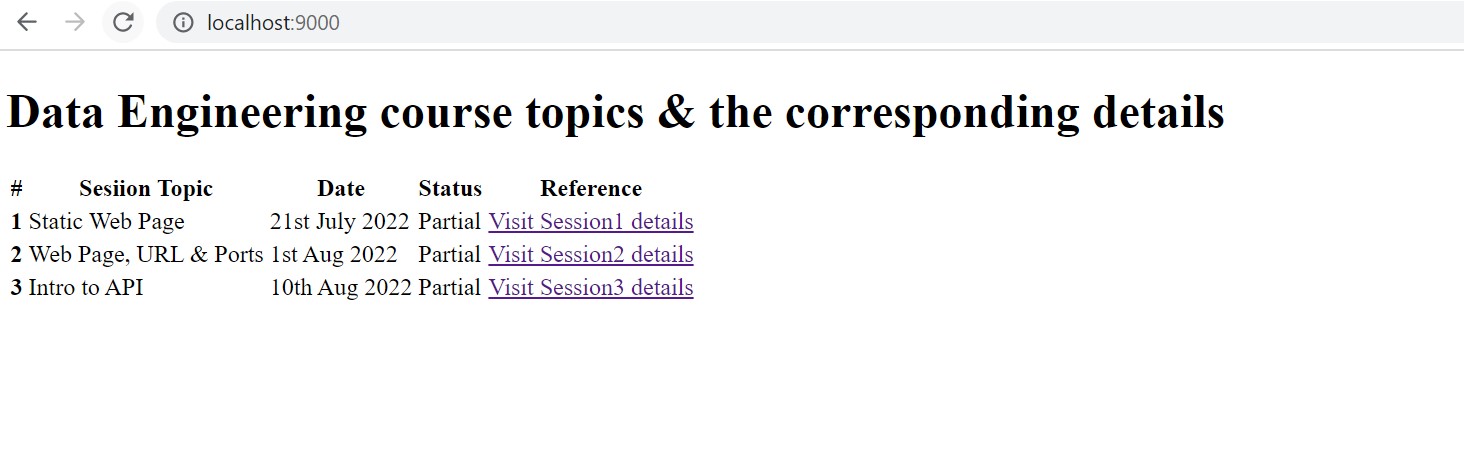
To view a web site or a web page in a browser, you would either type in the URL or click on a link (as one in your Favorites/Bookmarks) and hit the Go button. The page you have asked the browser to display would probably be located on a Server computer far far away. The web browser program sends a request (Could I have the web page please?) to a web server program running on the remote computer. Newbies may be baffled here due to similarity of names… the computer on which the web site is stored is called a Server (uppercase) and it runs a program (confusingly) also called a server (all small case).
The server program, gathers the request from the web browser, tries to hunt for the web page and then formulates a response. This response will differ depending on whether the server program was able to find the requested web page or web file. Assuming, the server was able to locate the web page, it sends the HTML file to the web browser. The browser picks up all the information coming in from the server and does its best to display the web page. A typical web page not only has text but also images and these are separate files that need to be transferred from the server to the browser.
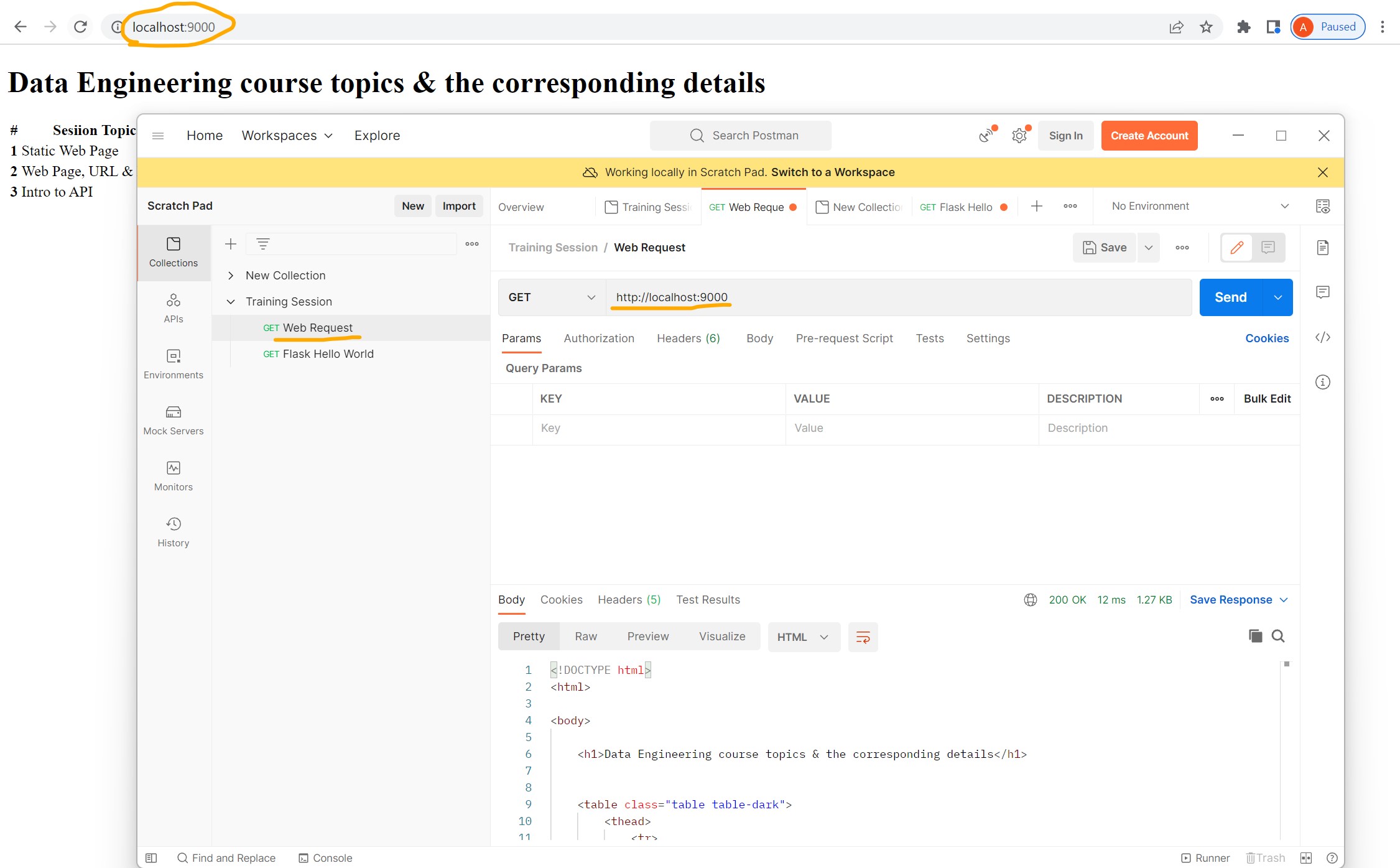
So the browser-server communication goes on till all the files have been transferred to the browser. Once the files arrive at your computer, the browser-server connection is severed – cut – chopped! If you now click on any link on this web page or even refresh the page, the process starts all over again. FYI, this is called the client-server architecture.Postman is an API(application programming interface) development tool which helps to build, test and modify APIs. Almost any functionality that could be needed by any developer is encapsulated in this tool.
It is used by over 5 million developers every month to make their API development easy and simple. It has the ability to make various types of HTTP requests(GET, POST, PUT, PATCH), saving environments for later use, converting the API to code for various languages(like JavaScript, Python).