Session-4 | 24th Aug 2022
Visit HOME
Deatiled topics and the corresponding reference links
| Sl No |
Topic |
Details |
last update |
| 1 |
Overview of Docker: Image & Container |
YouTube Lesson
|
2022-08-24 |
| 2 |
Set up Image & Container |
YouTube Lesson |
2022-08-24 |
| 3 |
Import Python Docker Image from Docker Hub |
YouTube Lesson |
2022-08-20 |
Let's first understand the Docker & the relationship among Image & Container
Docker version 20.10.17 is installed from Docker Installation
Virtualization:
In the traditional application set-up, each application is having dedicated OS & Server considering only a fraction of the server capacity will be used and
will be using diff versions of framework based on teh needs. The following overhead costs can be saved in the cloud environment like dedicated server cost, OS cost, Workforce/support cost
Now, the concept of virtualization is helping to reduce the above cost:
Applications are running on the same physical server but on a dedicated virtual machine. Hypervisors make it possible to use more of a system's avialable resources & provide greater
IT mobility as the guest VMs are independent of the host hardware. This means they can be easily moved between different servers by reducing space/energy/maintenance.
Docker:
Docker is open platform to manage infrasturcture through easy portable methodologies for code developemnt, shipping , testing by reducing the time from Dev to Prod.
It allows to have loosly isolated containers which are self sufficient to run teh applications independently and the security set up permits concurrent execution of multiple contained on a given host.
Post the developemnet easy and fast push to other enviroment, working parallel to fix the bug and redeploy, streamlining dev lifecycle & managing CI/CD workflows are teh great advantages of Docker.
It's container based platform can be executed in local or virtaual machine or cloud/hybrid environments. Scaling up ot Tearing down apps/services a sper teh needs is very easy.
Docker is lightweight and fast. It provides a viable, cost-effective alternative to hypervisor-based virtual machines, so you can use more of your compute capacity to achieve your business goals.
Docker Daemon listens for Docker API requests and manages Docker objects such as images, containers, networks & volumes and it can also communicate with other daemons to manage Docker services.
Docker Client is the primay mode of communication for easy interface with docker API and it allows comm with more than one daemon
Docker Desktop consists the Docker daemon (dockerd), the Docker client (docker), Docker Compose, Docker Content Trust, Kubernetes and Credential Helper
Docker Registry stores Docker images. Docker Hub is a public registry that anyone can use, and Docker is configured to look for images on Docker Hub by default. You can even run your own private registry.
When we use the docker pull or docker run commands, the required images are pulled from your configured registry. During docker push command, image is pushed to configured registry.
Image: this is one of the docker objects with a template of instruction of creating container. It can't be modified oce created. Image can be created based on other image with additional customization
Sometimes, new image can be created using Dockerfile as shown in teh below section. When we change the Dockerfile and rebuild the image, only those layers which have changed are rebuilt.
This is part of what makes images so lightweight, small, and fast, when compared to other virtualization technologies.
Container: is a runnable instance of an image. It's various functionalities like create, start, stop, move, or delete acan ebe managed using the Docker API or CLI. A container can ebe coonected to one or more networks.
By default, a container is relatively well isolated from other containers and its host machine.
- Abstruction at the OS level
- Multiple containers can run on the same machine and can share the host OS kernl
- It doesn't require dedicated own OS
A container is defined by its image as well as any configuration options we provide to it when we create or start it. When a container is removed, any changes to its state that are not stored in persistent storage disappear.
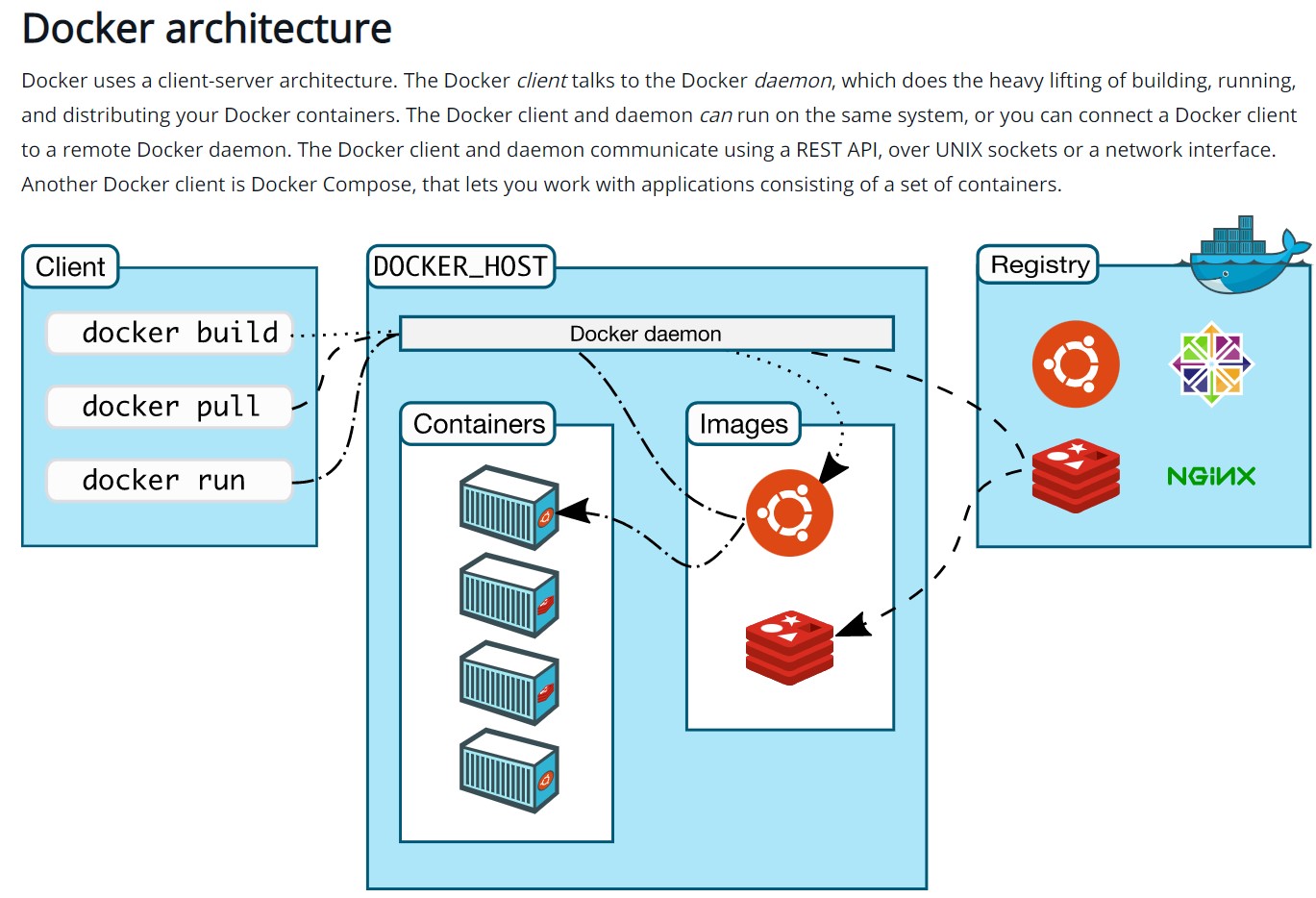
Docker Overview
Useful commands to deal with Docker
1. docker --Version
2.docker image ls -a
3. docker container ls -a
4. docker build -t ankan:old .[ankan- Imgae & old- Tag]
5. docker container logs --details "CONTAINER ID"
6. docker run --name helloworld2 ankan:latest[helloworld2 : container]
7. docker container stop "CONTAINER ID"
8. docker container prune [to remove all stopped containers]
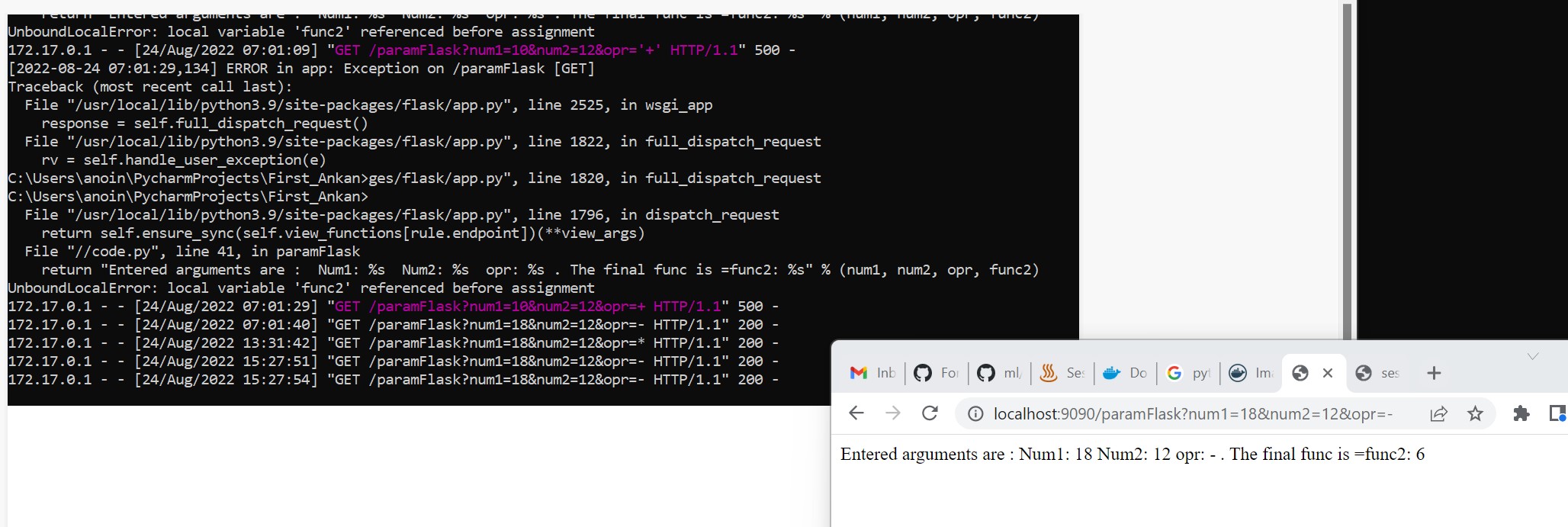
9. docker run -p 9090:5000 avi:latest [routing docker port to local host port by exposing to access through API]
10. docker logs
11. docker exec -it 'container ID' bash [Navigating to root of teh container]
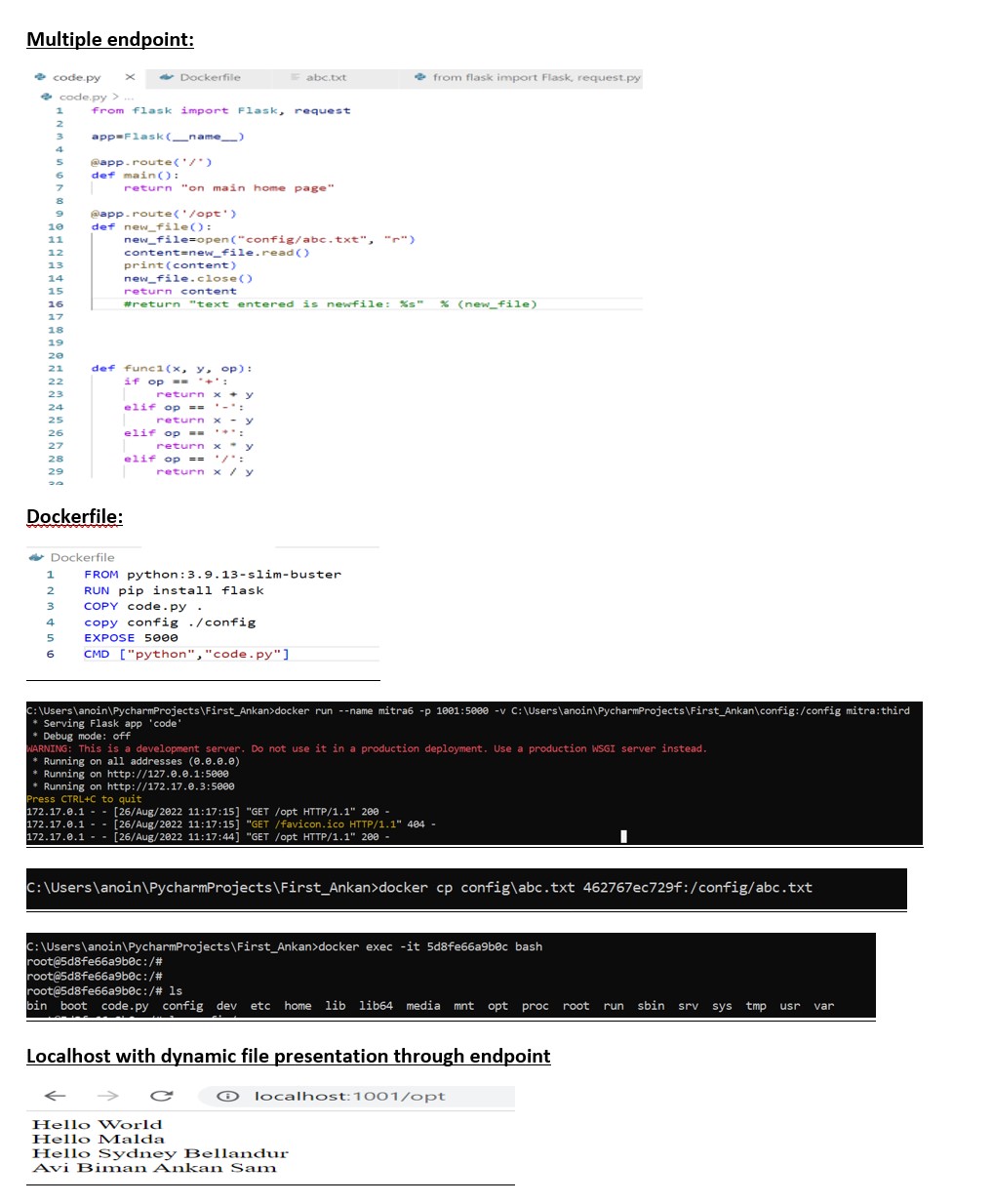
12. docker run --name mitra6 -p 1001:5000 -v C:\Users\anoin\PycharmProjects\First_Ankan\config:/config mitra:third[folder mounting, v:volume]
13. docker cp config\abc.txt 'container ID':/config/abc.txt [copy a file against a container]
14. docker inspect 'container name'
Useful Docker Commands
Basic fundamental rules while working in Docker
- All the key elements should be in upper case
- Image along with tag will be overwritten by re-executing the build command
- Container will be executed through Dockerfile maintained locally
- Docker defaut port 5000 and that has to be expose to localhost port for accessing through API response
- Reusing of container with the same name is prohibited
- Docker contained has to be killed with stop command through navigating in another terminal
- Once Docker Image is created cannot be modified
- Folder and file can be mounted to container to display with a dynamic feature to reflect the on-fly changes to teh the files
- Single container/imgae will support one or multiple endpoints
- Docker can allow only cat option to the file mounted into it
- Container can hold the dynamic changed through a file or web browser through endpoints
Image vs Container

Sample of Dockerfile

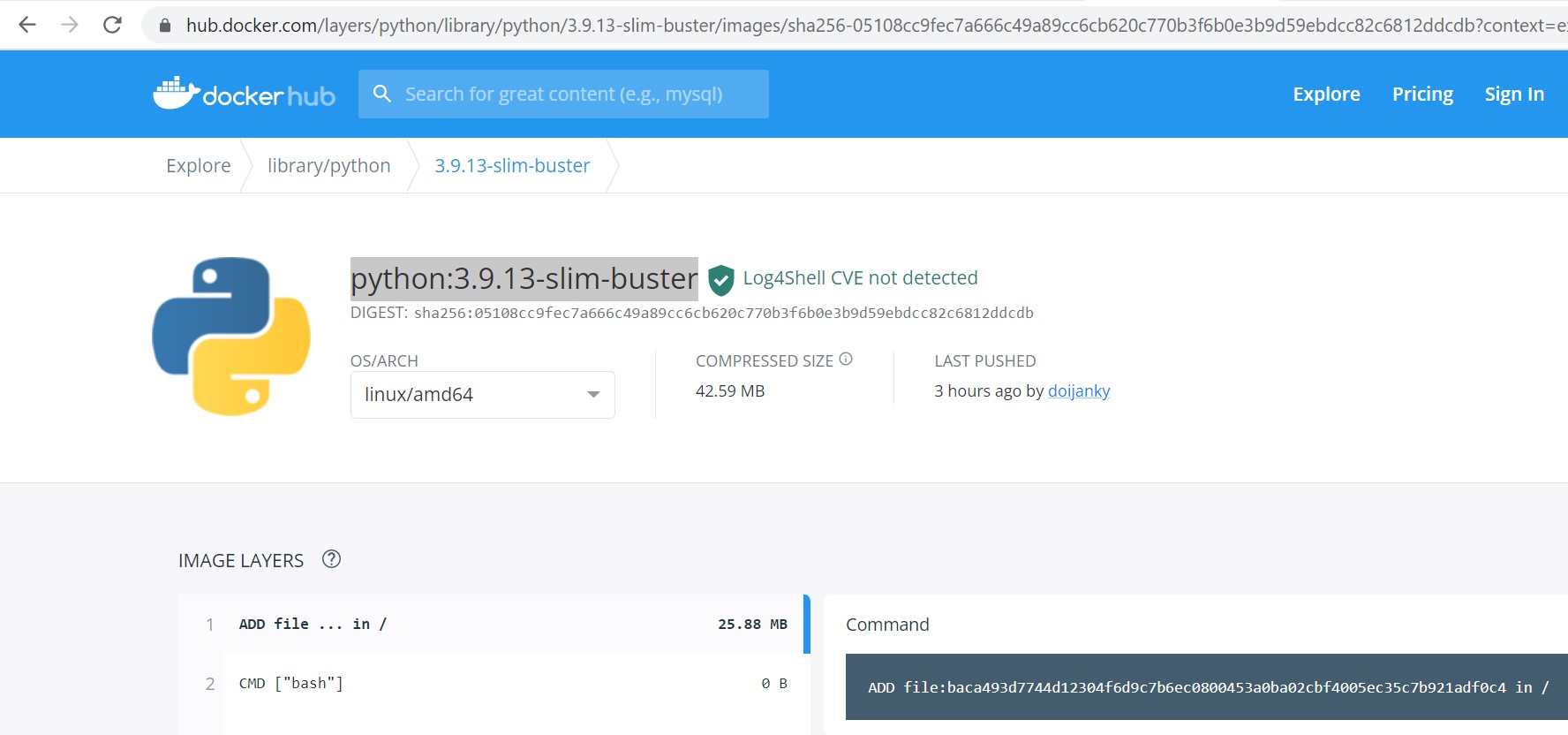
Importing Python Image into Dockerfile
Docker port to localhost Port execution through API
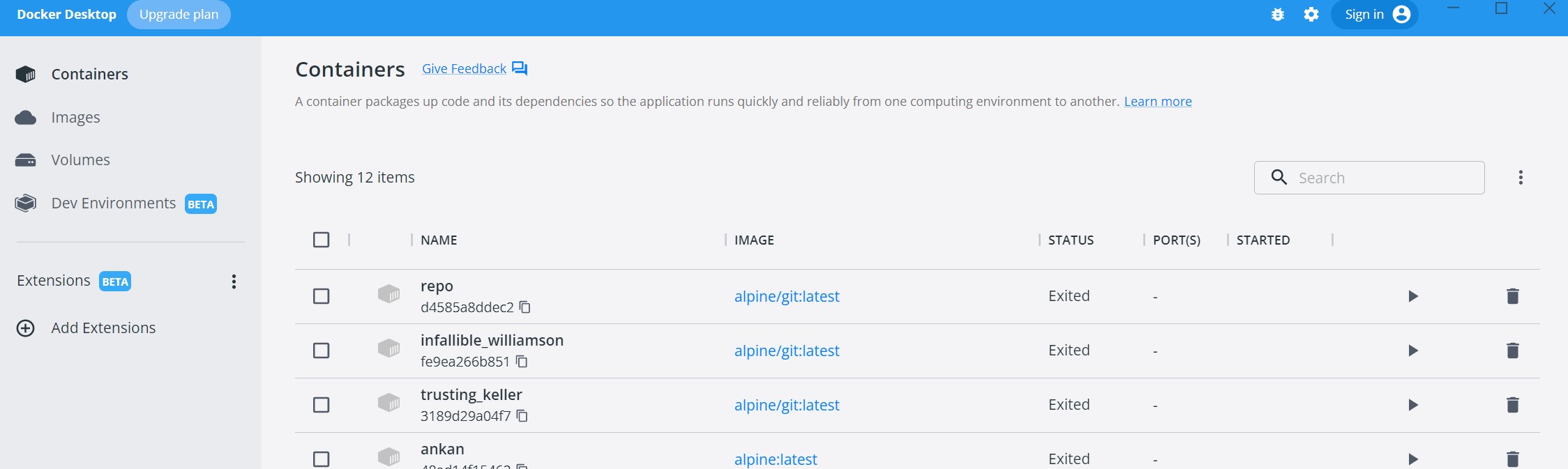
Docker Desktop UI provides details Containers, Images & corresponding volumes
POC of Multiple endpoints & monting folder/dynamic file to docker | 26th Aug
Step 1: Creating multiple endpoints under py code using @app.route()
Step 2: Creating a folder in that specific path where py code lias & maintain the file with that folder which cane be mounted with dynamic changes
Step 3: Copy the above folder in docker through Dockerfile & define the same while executing Container under volume -v option
Step 4: Test the dynamic changes